YOU CHOOSE THE PLACEMENT.
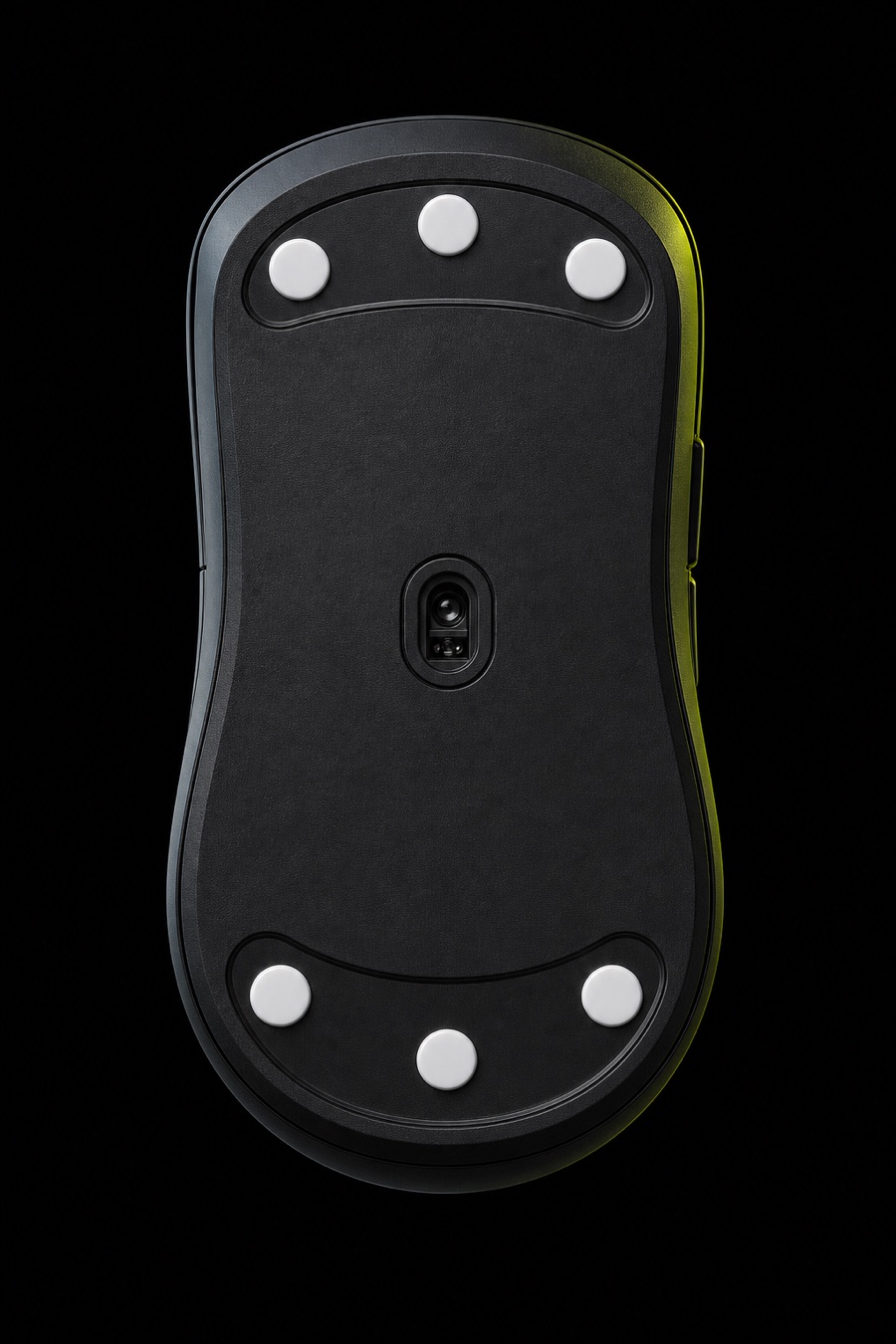
There is no universal dot count or layout. Place the dots symmetrically in the flat skate zones of your specific mouse, keeping the sensor and openings clear.
- Universal placement
- Tunable support
- Individual dot replacement
DROP 001DOT SKATES FOR YOUR SETUP
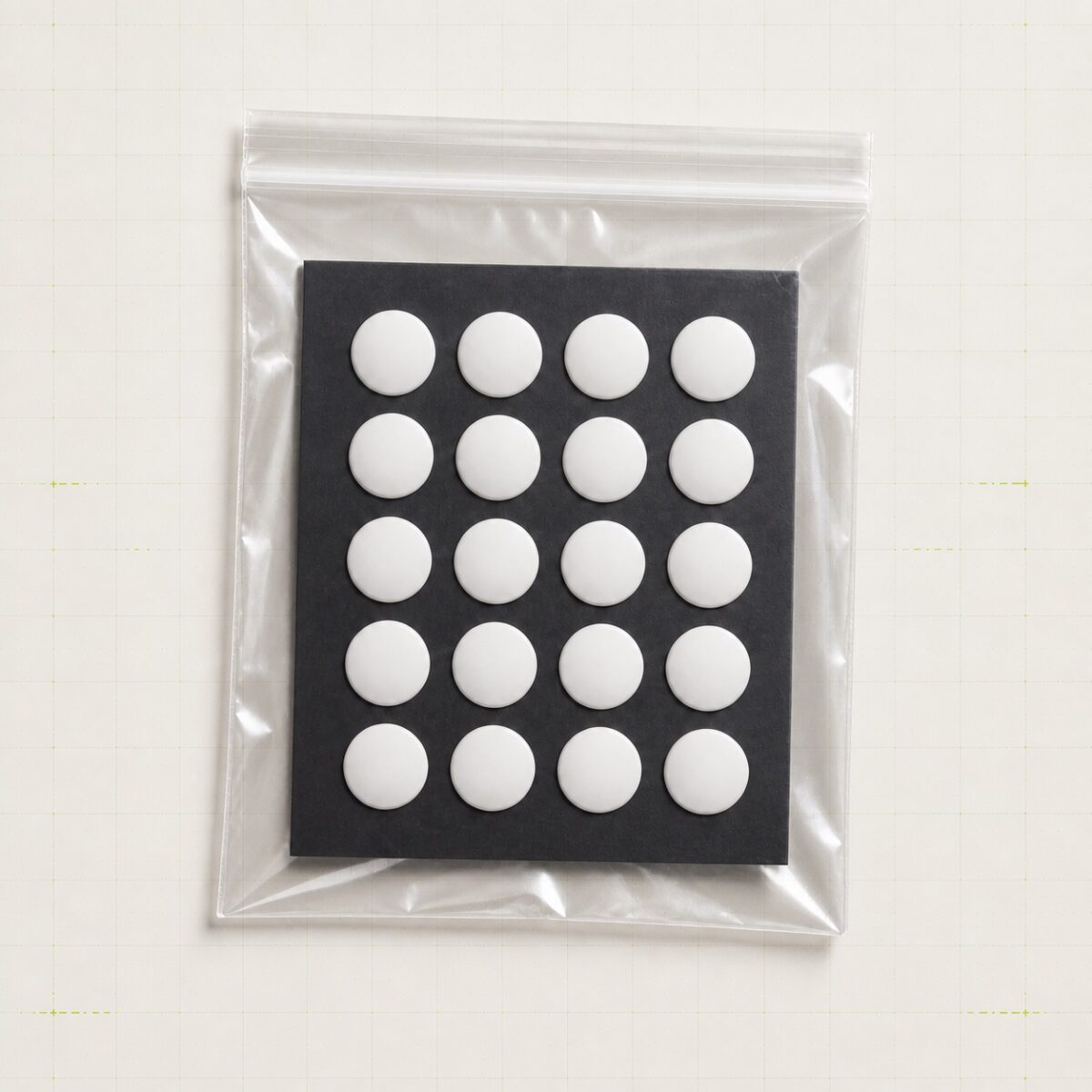
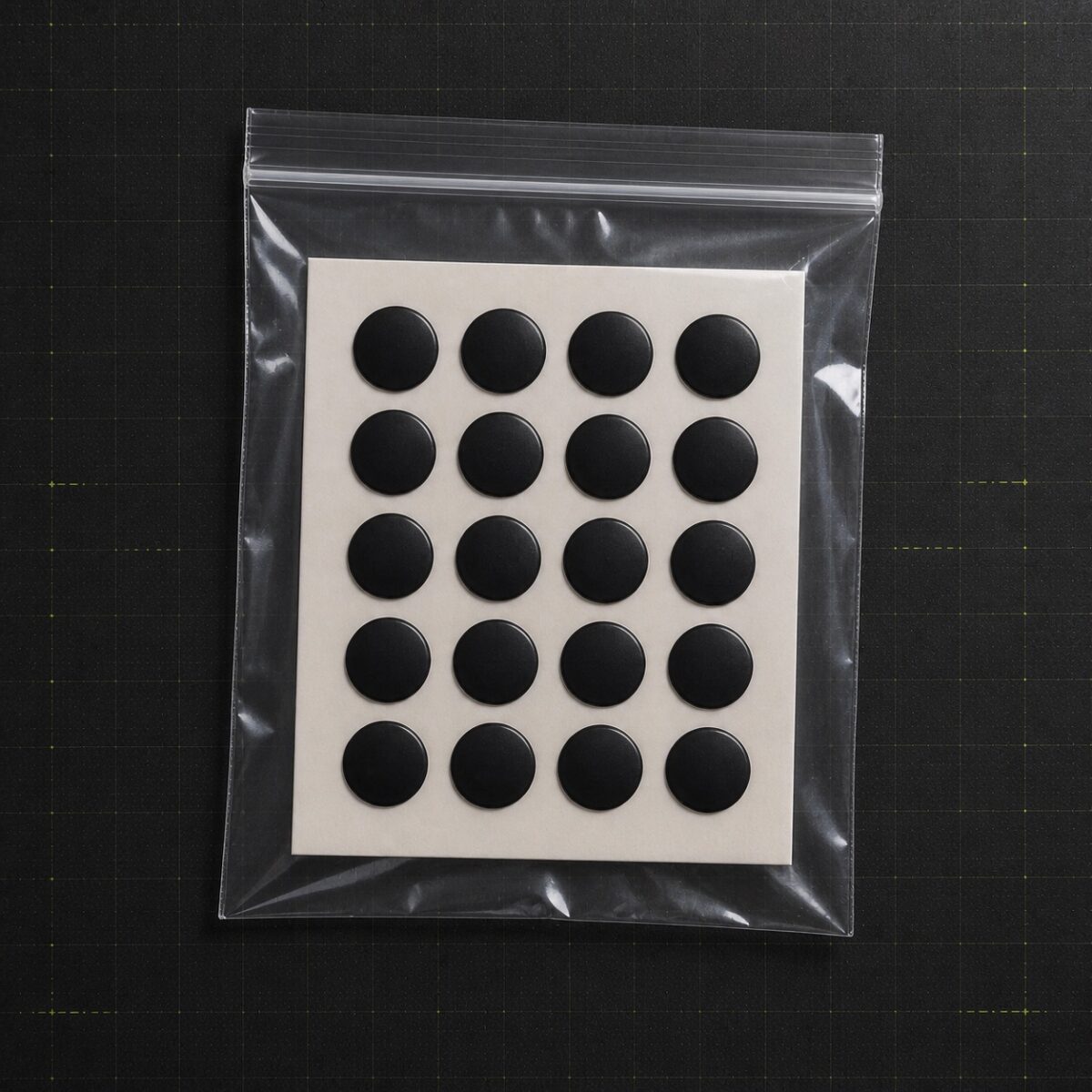
Control for a planted, steady glide. Speed for a lighter start. Both sets contain 20 individual dots you can place for your mouse and pad.
02HOW DOTS WORK
Standard skates are cut for one specific mouse. Dots are individual contact points: you choose how many to use and where to place them, giving you more control over support and glide feel.
There is no universal dot count or layout. Place the dots symmetrically in the flat skate zones of your specific mouse, keeping the sensor and openings clear.
Large skates give you a fixed contact area and straightforward installation. Change the mouse model and you will usually need a different cutout.
WHAT SHAPES THE RESULTFewer dots do not automatically mean a better glide. Mouse weight, hand pressure, pad surface, dot count and placement all matter. Change one thing at a time and compare the result.
03WHAT YOU GET
No promises of miracle aim. Just a practical way to adjust how easily the mouse starts moving, how steadily it sits and how much support you feel from the pad.
There is no universal dot count. Match the number and placement to the flat skate zones on your specific mouse, changing only one variable at a time.
Symmetrical placement keeps the mouse level. On a soft pad, extra dots can spread pressure and reduce tilting.
Every dot is separate. If one wears out or gets damaged, you do not have to remove the whole setup.
Place the dots on the flat areas left by the original skates. Just keep the sensor and every opening clear.
04DROP 001 / 20 PCS
Both sets contain 20 universal dots and cost the same. Control feels more planted and steady. Speed starts more easily and feels freer.
PLANTED FEEDBACK
20 black dots with a more planted, controlled feel during fine movements. Match the dot count and placement to your specific mouse and pad.
PTFE · 6.5 mm diameter · 1 mm thickness
LIGHT START
20 white dots for a lighter start and freer mouse movement. Match the dot count and symmetrical placement to your specific mouse and pad.
PTFE · 6.5 mm diameter · 1 mm thickness
05INSTALLATION / 4 STEPS
Before you start, inspect every dot while it is still on the backing card. Most importantly, peel the thin protective film from the glide surface of every dot — it is almost invisible.
Remove the original feet completely, including any adhesive residue. Then clean and degrease the flat mounting areas.
The film sits on the glide surface and is extremely thin and nearly transparent. Check every dot individually.
Match the dot count and position to the flat skate zones on your specific mouse and place them symmetrically. Keep the sensor and openings clear.
If the mouse tilts on a soft pad, add more dots symmetrically. Test the setup after every change.
06VERIFIED REVIEWS
We display approved reviews from customers whose purchase of the product has been verified.
Approved reviews from verified purchases will appear here automatically.
07FREQUENTLY ASKED QUESTIONS
Small individual glide points that replace the usual large mouse feet. You choose their number and placement for your mouse and pad.
They are designed for most mice with enough flat space where the original skates sat. Before buying, check that the dots will not cover the sensor or openings.
There is no single correct count for every mouse. Place the dots symmetrically in the flat skate zones of your specific mouse, keep the sensor and openings clear, and check that the mouse sits level before use.
Yes. It is extremely thin and nearly transparent, so it is easy to miss. Before installation, check every dot and peel the film from its glide surface.
Choose Control for a more planted, steady feel. Speed is for a lighter start and freer movement. Your pad, mouse weight and dot count also shape the result.
Yes, but they will feel different on every surface. Always match the number and placement to your specific mouse; soft cloth may need more dots to spread pressure than a hard surface.
Check each variant in the shop or on its product page for current availability.
DROP 001 / XGLIDE
Control for a steadier feel. Speed for a lighter start. In either case, match the dot count and placement to your specific mouse and pad.
VIEW BOTH SETS